
Fiber Optic Patch Panel: Complete Guide for Data Centers & Networks
A high-performance fiber network needs more than fast cable and reliable transceivers. It also needs a clean, organized way to terminate, protect and manage every fiber connection.
That is where a fiber optic patch panel becomes essential.
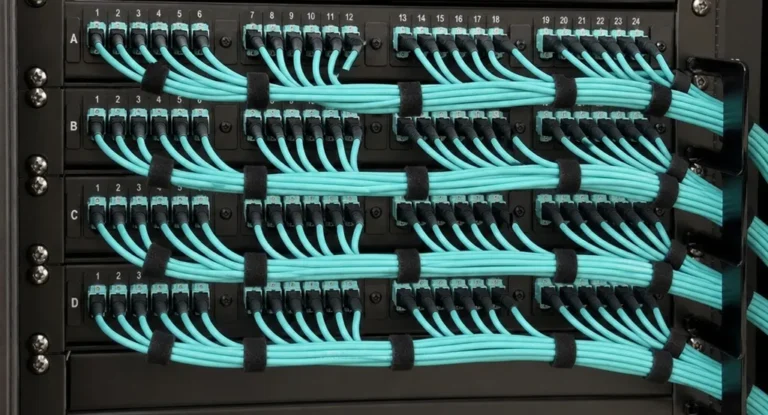
A fiber patch panel provides a centralized location for incoming fiber cables, adapters, pigtails, splices and patch cords. Instead of allowing individual fiber strands to run loosely through a rack or telecom room, the panel keeps connections organized and accessible.
For data centers, enterprise networks, telecom facilities and structured cabling systems, this organization can make installation, expansion and troubleshooting much easier.
However, not every panel works for every network. You need to consider fiber type, connector format, port density, termination method, rack space and future capacity before choosing one.
This guide explains how fiber optic patch panels work, the main types available, LC and SC connector options, installation considerations and how to select the right panel for your network.
What Is a Fiber Optic Patch Panel?
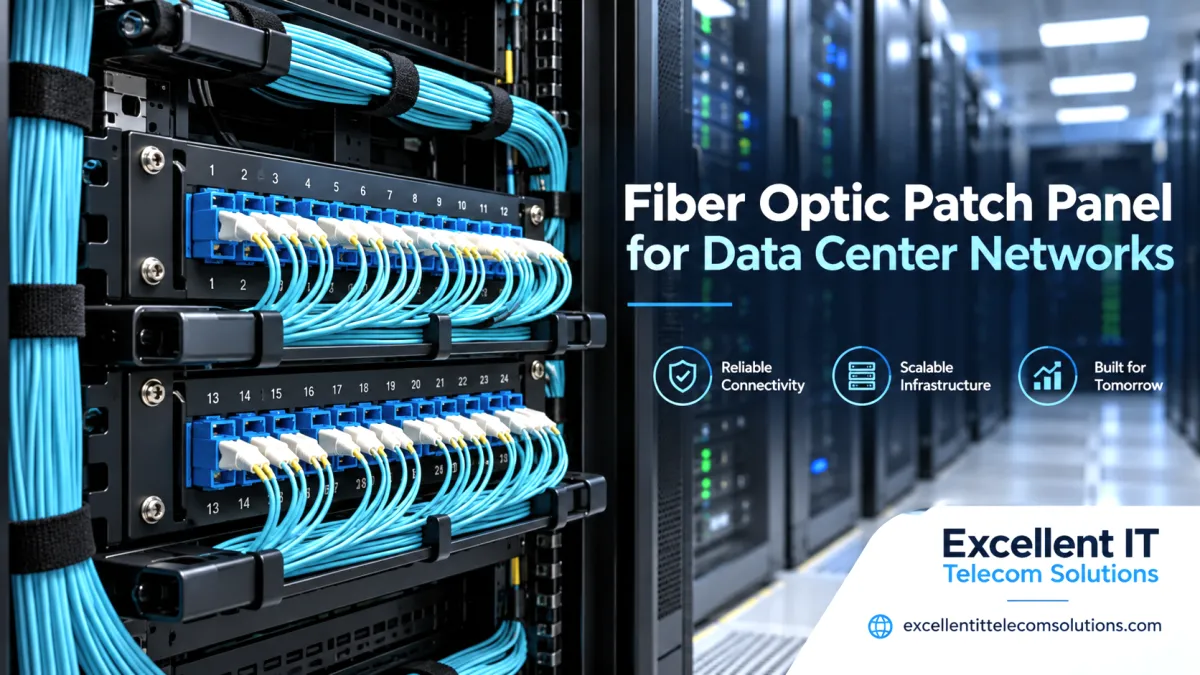
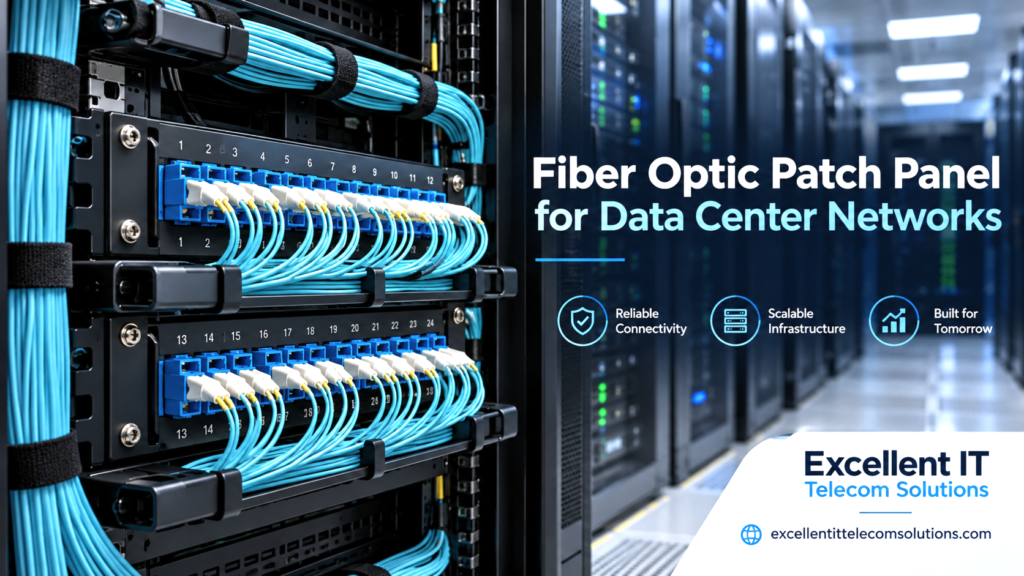
A fiber optic patch panel is an enclosure designed to terminate, organize and protect fiber optic connections.
You may also see it described as a:
- Fiber patch panel
- Fiber distribution panel
- Fiber termination panel
- Optical patch panel
- Fiber enclosure
A typical panel provides a protected location for incoming fiber cables and presents accessible connector ports at the front.
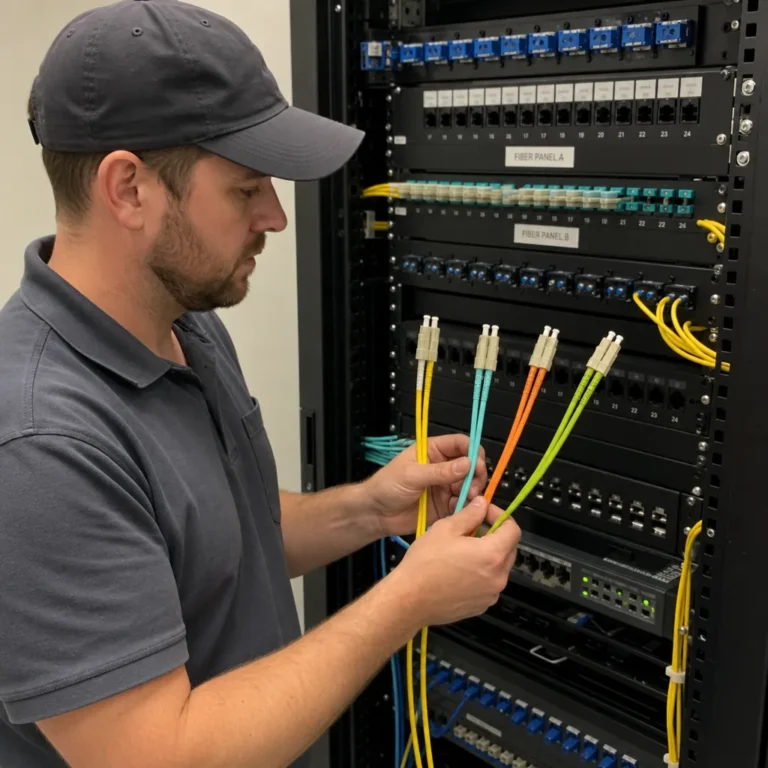
Technicians can then connect fiber patch cords between the panel and network equipment such as switches, optical transceivers, routers or other fiber distribution points.
The panel itself is passive. It does not process or amplify the optical signal. Its job is to provide a structured connection and management point.
This distinction matters because a properly designed panel can simplify moves, additions and network changes without requiring technicians to disturb backbone fiber every time equipment changes.
Professional fiber optic deployment services can also help with fiber termination, patch-panel installation, labeling and testing.
How Does a Fiber Optic Patch Panel Work?
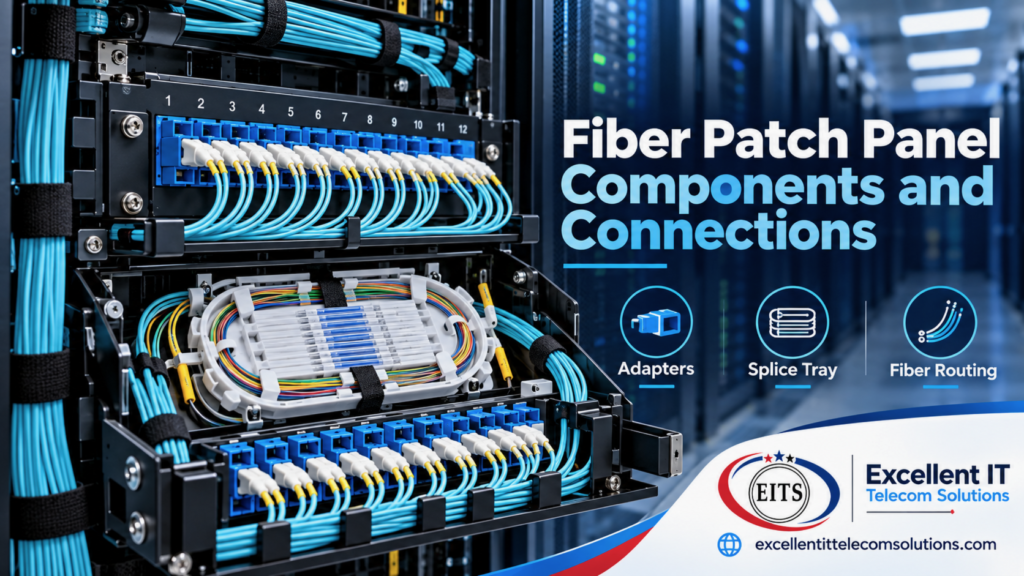
Think of the panel as the organized meeting point between permanent fiber cabling and the equipment that uses it.
A common installation works like this:
Incoming fiber cable → patch panel → adapter/termination → fiber patch cord → network equipment
Inside the panel, technicians may route individual fibers into splice trays or connect pre-terminated cables to adapters or modules.
The front of the panel then provides clearly identified ports.
For example, an OS2 backbone cable may enter the rear of the panel. Individual fibers terminate inside the enclosure, while LC ports appear at the front. LC patch cords can then connect those ports to compatible switches or transceivers.
This arrangement separates permanent cabling from equipment-side connections.
That makes the fiber infrastructure easier to manage as network hardware changes.
Why Does a Fiber Optic Patch Panel Matter?
It may look like a simple rack accessory, but the panel affects how efficiently technicians can manage the entire fiber plant.
Better Fiber Organization
Large fiber installations can contain dozens or hundreds of strands.
A patch panel groups those fibers into clearly defined termination points instead of leaving them loose inside racks.
Easier Troubleshooting
Labels and organized ports help technicians trace links from one endpoint to another.
When a connection fails, structured patching can make it easier to identify the affected path.
Protection for Fiber Connections
Optical fiber needs careful handling. Sharp bends, excessive tension and exposed connections can create problems.
A proper enclosure helps protect splices, adapters and fiber slack.
Simpler Network Changes
Equipment changes frequently.
Permanent building or backbone cabling should not need to change every time a switch gets replaced.
Patch panels create a stable cabling layer while allowing patch cords to handle shorter equipment-side changes.
Improved Scalability
Planning additional panel capacity can make future expansion easier.
Instead of rebuilding the fiber termination point, technicians can activate spare ports as demand increases.
This flexibility is especially valuable when planning scalable network infrastructure for growing enterprise environments.
Types of Fiber Optic Patch Panels
There is no single universal panel design.
Manufacturers build panels for different environments, densities and termination methods.
The most common options include:
Rack-Mount Fiber Patch Panels
A rack-mount fiber optic patch panel installs directly in an equipment rack or cabinet.
These are common in:
- Data centers
- Server rooms
- Main distribution areas
- Telecom rooms
- Enterprise network facilities
They often use standard rack-unit formats such as 1U, 2U or larger enclosures.
Rack-mounted systems can support LC, SC, MPO/MTP and other connector formats. Commercial fiber-management systems from major manufacturers also use both single-mode and multimode configurations.
Wall-Mount Fiber Patch Panels
Wall-mounted panels work well where a full equipment rack is unnecessary or unavailable.
Common applications include:
- Small telecom rooms
- Building entrances
- Remote network closets
- Small offices
- Fiber handoff locations
They can provide secure termination while conserving floor and rack space.
Fixed Patch Panels
Fixed panels stay in one position after installation.
They can provide a simple and cost-effective solution when technicians do not need frequent access to the interior.
Sliding or Drawer-Style Panels
Sliding panels allow technicians to pull the termination area forward.
This can make splicing, labeling and maintenance easier in crowded racks.
Modular Fiber Patch Panels
Modular designs use interchangeable adapter plates, cassettes or modules.
This flexibility can be valuable when the network may need different connector formats or fiber counts over time.
Rack-Mount vs Wall-Mount Fiber Patch Panel
The right mounting style depends primarily on the installation environment.
|
Feature |
Rack-Mount Panel |
Wall-Mount Panel |
|
Best location |
Data center or telecom rack |
Small room or building entrance |
|
Capacity |
Low to very high |
Usually low to moderate |
|
Accessibility |
Excellent in rack environments |
Convenient without a rack |
|
Expansion |
Strong |
More limited |
|
High-density use |
Excellent |
Less common |
|
Typical application |
Enterprise/data center |
Edge/remote location |
For a large data center, a rack-mounted panel normally makes more sense because it integrates directly with switches, cable managers and other rack hardware.
For a small building entrance or remote closet, a wall-mounted enclosure may be simpler.
LC vs SC Fiber Patch Panels
Connector type is one of the most important choices when specifying a fiber patch panel.
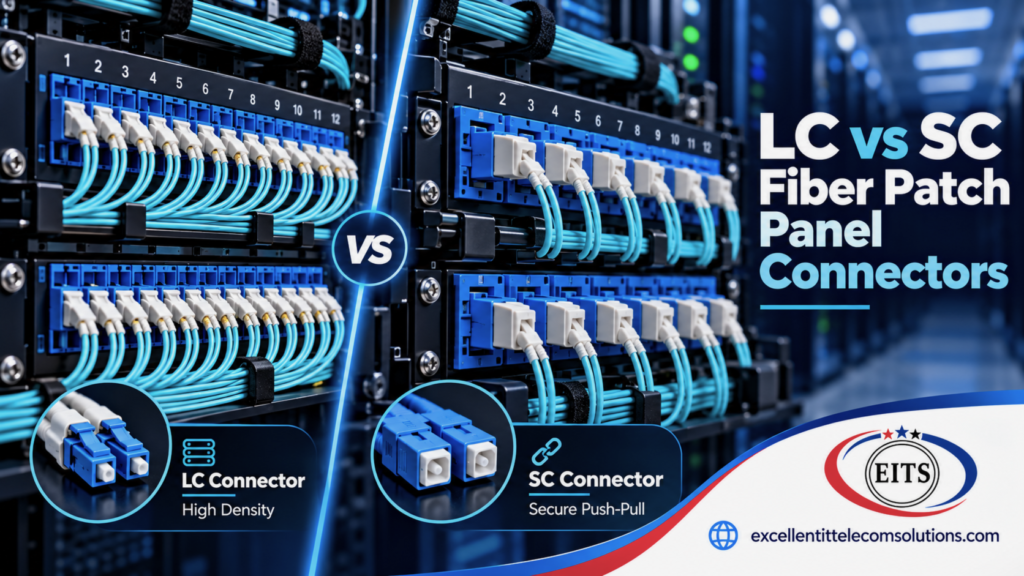
LC Patch Panel
The LC connector uses a compact form factor that helps increase connection density.
That makes LC common in environments where rack space matters, including modern enterprise networks and data centers.
LC configurations can include:
- LC simplex
- LC duplex
- LC/UPC
- LC/APC
- Single-mode LC
- Multimode LC
High-density commercial fiber systems often use LC specifically because more connections can fit into limited rack space.
SC Patch Panel
SC connectors use a larger push-pull design.
They remain common across telecommunications, fiber distribution, enterprise and other optical-network applications.
Available options can include:
- SC simplex
- SC duplex
- SC/UPC
- SC/APC
- Single-mode SC
- Multimode SC
LC or SC: Which Should You Choose?
Choose based on the equipment and cable plant—not simply on which connector is more popular.
Use LC when:
- Equipment already uses LC interfaces
- Higher connection density matters
- Rack space is limited
Use SC when:
- Existing infrastructure uses SC
- The application requires SC-compatible equipment
- Matching an established fiber distribution system matters
Avoid unnecessary adapters wherever practical. Designing around the native connector format of your equipment generally keeps the cabling system simpler.
Single-Mode vs Multimode Fiber Patch Panels
The enclosure itself does not turn single-mode fiber into multimode fiber or vice versa.
The important factor is the fiber components installed in and around the panel.
Single-Mode Fiber
An OS2 single-mode fiber optic patch cable can connect compatible patch-panel ports to switches, transceivers and other optical equipment.
Typical environments include:
- Building backbones
- Campus links
- Telecom networks
- Data centers
- Long-distance enterprise connections
Multimode Fiber
Multimode systems commonly use OM3, OM4 or other multimode fiber grades for compatible shorter-distance optical applications.
These are frequently used inside:
- Data centers
- Enterprise facilities
- Equipment rooms
- High-speed network environments
Always match the panel adapters, pigtails, patch cords and equipment to the intended optical system.
Mixing incompatible components can create unnecessary troubleshooting later.
Fiber Patch Panel Port Counts: How Many Do You Need?
Do not choose a panel simply because it has the most ports.
Start with your actual fiber count.
For example, ask:
- How many fibers arrive at this rack?
- Are the connections simplex or duplex?
- How many links will become active immediately?
- How much future growth do we expect?
- Will we use LC, SC or MPO/MTP?
- How much rack space is available?
A panel that is too small limits expansion.
A panel that is dramatically oversized may waste rack space and complicate cable management.
The better approach is to size the panel around current requirements while leaving sensible expansion capacity.
High-Density MPO/MTP Fiber Patch Panels
High-density environments often need more than traditional LC or SC adapter plates.
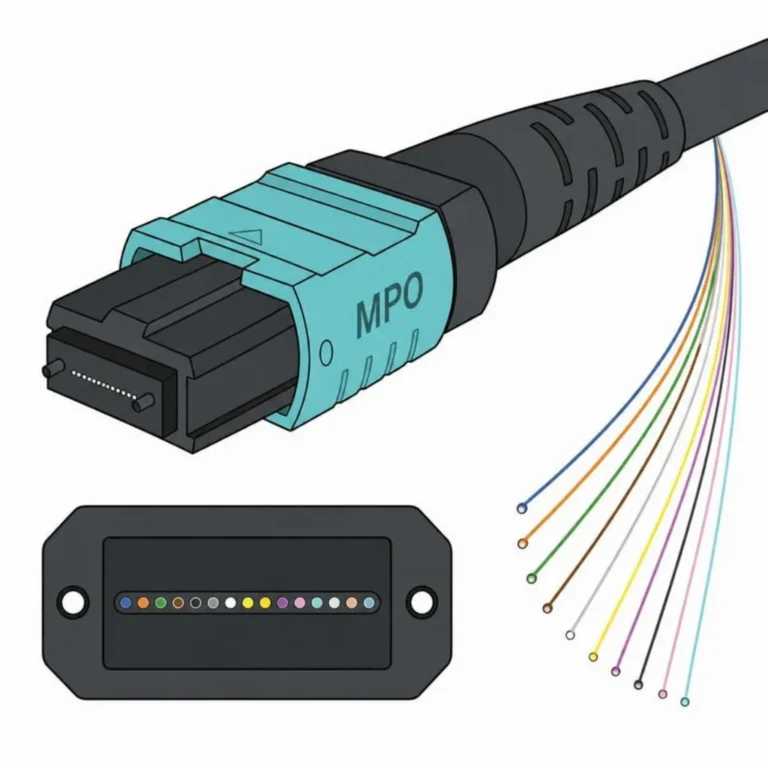
MPO/MTP-based systems can consolidate multiple fibers into compact interfaces and then connect to modules or cassettes that transition to equipment-facing connectors.
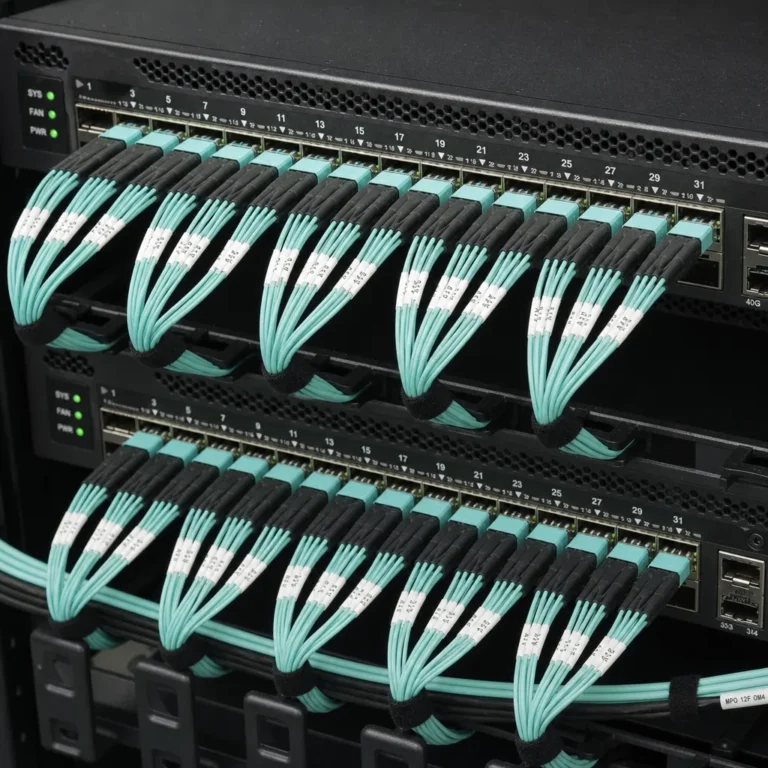
An MPO-12 multimode fiber optic patch cable can provide high-density connectivity between compatible network components.
These architectures are useful in environments with large numbers of optical connections, including modern data centers.
For example:
MPO trunk → patch-panel cassette → LC connections → network equipment
An MPO breakout cable can also transition a multi-fiber MPO connection into individual LC connections for compatible network architectures.
Other architectures may use MPO interfaces throughout the link.
Major commercial patch-panel systems now support combinations of MPO and LC interfaces, reflecting the role of modular high-density fiber management in data-center environments.
The correct design depends on:
- Fiber count
- Transceiver interface
- Polarity
- Base-8, Base-12 or other architecture
- Single-mode or multimode fiber
- Required density
- Migration strategy
Fiber Optic Patch Panels in Data Centers
Fiber density grows quickly inside data centers.
A patch panel creates a clear boundary between permanent infrastructure and equipment connections.
Professional data center installation services can coordinate fiber cabling, racks, patch panels, network equipment and testing as part of one organized deployment.
Typical use cases include:
Switch-to-Distribution Connectivity
Patch panels can organize fiber running between switches and distribution areas.
Backbone Fiber Termination
Building, campus or facility backbone cables can terminate inside protected panels before shorter patch cords connect them to equipment.
Cross-Connect Areas
Panels provide an accessible location for changing optical paths without reworking permanent cable runs.
Equipment Migration
When equipment gets replaced, technicians can change patching instead of replacing the entire horizontal or backbone fiber route.
High-Density Network Architecture
LC and MPO/MTP-based panels can support large connection counts where rack space is valuable.
This is why fiber-management systems from major infrastructure manufacturers emphasize density, jumper routing and accessibility—not simply the number of physical ports. Corning eCatalog
How to Choose the Right Fiber Optic Patch Panel
Use this seven-step process before ordering a panel.
-
Identify the Fiber Type
Determine whether the link uses:
- OS2 single-mode
- OM3 multimode
- OM4 multimode
- Another required fiber specification
The panel components need to match the cable plant.
-
Match the Connector
Check your existing infrastructure and equipment.
Common choices include:
- LC
- SC
- MPO/MTP
- ST
- FC
Do not design the panel in isolation from the equipment it connects.
-
Calculate Fiber Count
Count the actual strands and connections.
Then consider expected growth.
-
Choose the Mounting Format
Decide between:
- Rack mount
- Wall mount
- Fixed
- Sliding
- Modular
Base this decision on accessibility and available space.
-
Determine the Termination Method
Fiber may arrive:
- Pre-terminated
- Fusion-spliced to pigtails
- Through modular cassettes
- Through adapter plates
The enclosure needs to support that method.
-
Plan Cable Management
A high port count means little if patch cords cannot be routed cleanly.
Consider:
- Front cable routing
- Rear cable entry
- Slack storage
- Splice trays
- Horizontal managers
- Vertical cable management
- Label visibility
-
Leave Room for Growth
Choose capacity based on both current demand and realistic future expansion.
Planning ahead is usually easier than replacing a fully populated panel later.
Fiber Optic Patch Panel Installation: Best Practices
A good panel can still perform poorly if technicians install it carelessly.
Use a consistent process.
Plan the Rack Position
Place the panel where technicians can access ports without forcing patch cords into awkward routes.
Secure Incoming Cable
Do not allow cable weight or tension to transfer directly to connectors or splices.
Respect Cable Bend Requirements
Route fiber smoothly and follow the cable manufacturer’s specified bend radius.
Avoid sharp turns around rack hardware.
Organize Splices
If the installation uses fusion-spliced pigtails, place and protect the splices inside the appropriate tray.
Label Both Ends
Labels should clearly identify where each connection originates and terminates.
Use the same naming convention throughout the facility.
Route Patch Cords Properly
Do not allow unused cable to hang across equipment.
Use horizontal and vertical management where necessary.
Inspect and Clean Connections
Fiber connector cleanliness matters significantly.
The Fiber Optic Association recommends keeping protective caps on fiber interfaces and cleaning connectors before mating because contamination can affect optical connections. foa.org
Test and Document the Link
Complete appropriate fiber testing after installation and record the results.
Documentation becomes extremely valuable when technicians troubleshoot or expand the network later.
7 Common Fiber Patch Panel Mistakes
-
Buying Based Only on Port Count
Port quantity means little if the connector type, mounting style or termination method does not fit the installation.
-
Mixing Fiber Components Carelessly
Confirm the fiber mode, connector polish and interface requirements throughout the link.
-
Ignoring Future Expansion
Filling every available port during the first installation leaves no easy path for growth.
-
Poor Labeling
Unlabeled connections turn routine troubleshooting into cable tracing.
-
Excessive Patch-Cord Slack
Large bundles of unnecessary cable can obstruct equipment and make ports harder to access.
-
Ignoring Connector Cleanliness
Even new fiber connections should be handled carefully. Cleanliness remains a fundamental part of fiber installation and testing.
-
Choosing Density Without Considering Access
Very high density can save rack space, but technicians still need enough working room to identify, inspect and change individual connections.
The best design balances density with maintainability.
Fiber Patch Panel Maintenance
Installation is only the beginning.
Good ongoing management protects the value of the fiber infrastructure.
Keep these practices in place:
- Maintain accurate port labels.
- Update documentation after changes.
- Protect unused adapters.
- Keep connectors clean.
- Avoid unnecessary cable tension.
- Inspect patch cords for damage.
- Keep cable-management paths organized.
- Restrict unauthorized changes.
- Test questionable links before replacing equipment.
FOA guidance also recommends keeping fiber cabling stress-free, protecting connectors and maintaining clean mating interfaces throughout the network’s life.
Fiber Optic Patch Panel Selection Checklist
Before placing an order, confirm:
Fiber mode: OS2, OM3, OM4 or required type
Connector: LC, SC, MPO/MTP or other required interface
Polish: UPC or APC where applicable
Fiber count: Current requirement plus planned growth
Mounting: Rack or wall
Rack height: Required RU space
Termination: Pre-terminated, splice or modular cassette
Port density: Appropriate for the rack environment
Cable entry: Compatible with incoming cable routing
Cable management: Adequate slack and patch-cord routing
Labeling: Clear and accessible
Accessibility: Practical for future maintenance
If these items align, you are much more likely to choose a panel that remains manageable as the network grows.
Frequently Asked Questions
What is a fiber optic patch panel used for?
A fiber optic patch panel provides an organized location for terminating, protecting and managing fiber connections. It allows technicians to connect permanent fiber cabling to patch cords and network equipment through clearly defined ports.
Is a fiber patch panel active or passive?
A traditional fiber patch panel is passive. It does not require electrical power to amplify or process the optical signal.
What is the difference between an LC and SC patch panel?
The main difference is the connector interface. LC connectors use a smaller form factor and are well suited to higher-density environments. SC connectors use a larger push-pull design and remain common across many telecom and fiber-distribution systems.
Can you use single-mode and multimode fiber in the same patch panel?
A modular enclosure may physically accommodate different adapter or module types, but the individual optical links must use components that are compatible with the intended fiber system and equipment. Do not treat single-mode and multimode components as interchangeable.
How many ports should a fiber patch panel have?
Choose the port count according to the number of fiber connections you need today, the connector configuration and planned future growth. Avoid choosing capacity based on port count alone.
What is the difference between a fiber patch panel and a fiber enclosure?
The terms sometimes overlap. In general, a fiber enclosure protects fiber termination and splicing components, while a patch panel specifically provides accessible connection or patching interfaces. Many modern products perform both functions.
Are MPO/MTP patch panels used in data centers?
Yes. MPO/MTP systems are widely used for high-density fiber architectures and can connect trunk cables to modular cassettes or equipment-facing interfaces.
Does a fiber patch panel improve network speed?
The panel does not increase transmission speed by itself. Its role is to organize and protect optical connections. Overall link performance depends on the complete fiber channel, transceivers, connectors, losses and network equipment.
Build a Cleaner, More Scalable Fiber Network
A fiber optic patch panel is a small part of the physical network, but it has a major impact on how easily technicians can install, maintain and expand fiber infrastructure.
The right panel should match your fiber type, connector system, termination method, rack environment and expected growth.
For data centers and enterprise networks, good fiber management is not simply about fitting more ports into a rack. It is about building an infrastructure that remains organized and serviceable as connectivity requirements change.
Excellent IT Telecom Solutions provides fiber optic deployment, data center installation and network infrastructure solutions for professional network environments.
Need Fiber Cabling or Patch Panel Installation?
Request a project quote from Excellent IT Telecom Solutions.